Wednesday, November 10, 2010

Picture of the day #10

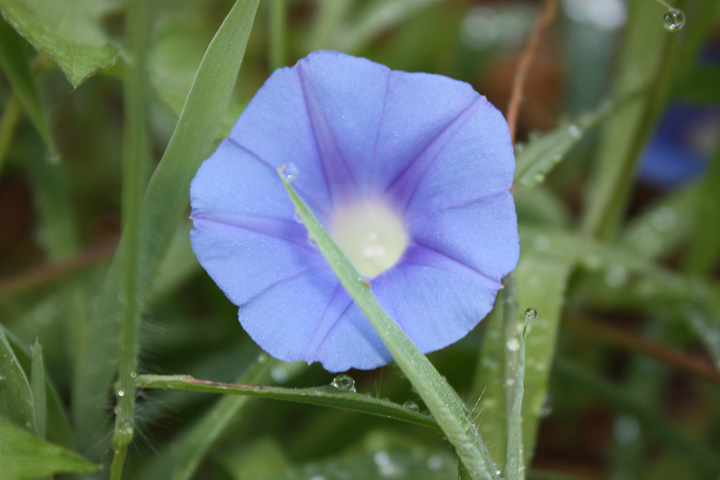
I decided I would try the Content Aware feature in Photoshop today. I took a picture of a morning glory a couple of months ago. I liked the photo...other than the blade of grass that was across the bloom. Instead of removing it the normal way (using the clone tool). I tried out the Content Aware feature....which I found is so much easier and a tad less tedious. I did do some color enhancements to the photo as well.

Before

After

Tuesday, November 9, 2010

Picture of Day #9

Yesterday afternoon I received an email from my neighbor. Attached was this wonderful picture of my Dad on his beloved tractor. It was such a wonderful surprise !

Monday, November 8, 2010

Day #8 Picture of the day !

So far so good....I'm a quarter of the way through the month and have made a post a day. I know at the beginning of the month I did say I would give it a shot to take a picture a day. At least I've kept up with the posting part of my challenge. Now, I just need to get my act together, get my camera out and take pictures everyday.

With that said....this picture was taken October 28, 2010.


Make up for Day # 7 - Lone Goose

Here is a lone goose. Seems that everybody in the community has seen him (or her...not sure) their yards, laying around. He can fly....cause after I snapped a few shots he flew off.

Sunday, November 7, 2010

Well.....day 7 is a bust

I'm not at home today. Though, I did bring my camera with me. But the computer that I'm using won't read the card. So....no pictures today. I'll post 2 tomorrow to make up for today.

Saturday, November 6, 2010

Day #6 - Picture of the day

Ahhh....so far my challenge is going well....6 days in and haven't missed a single day of posting.

This morning I decided to try taking pictures of water drops. I set up a red bowl in the sink, filled it with water, then had the faucet dripping and started snapping pictures. I found that I got a couple of decent shots. Here is one of them.

Friday, November 5, 2010

Picture of the day #5

Today my picture is a before and after of a bloom from my Peace Lilly. I did a little photoshoping to it.

Before


After
                                                                    

I made a duplicate layer. Then used the gaussian blur filter (8). Then applied the screen under the layer menu.